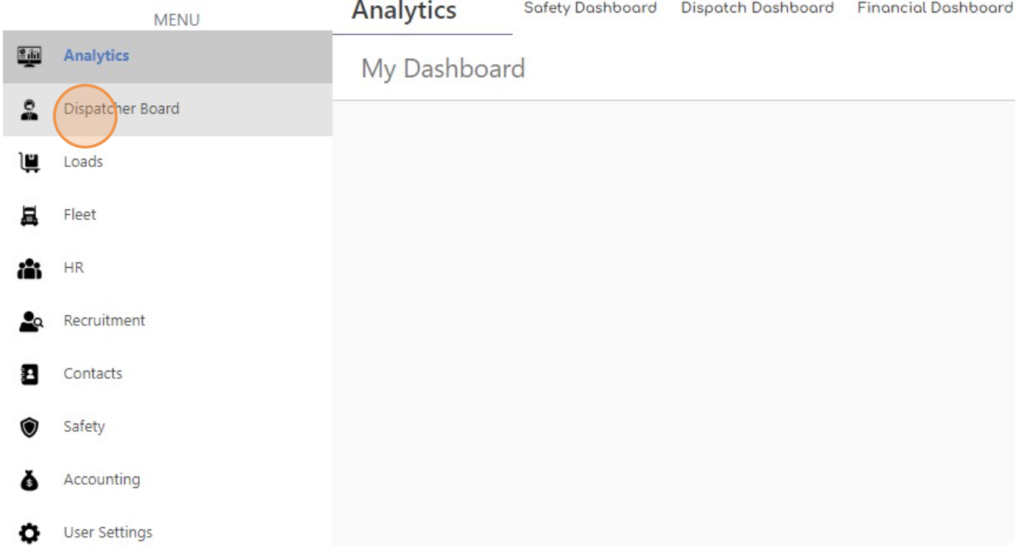
- Click “Dispatcher Board”.
-
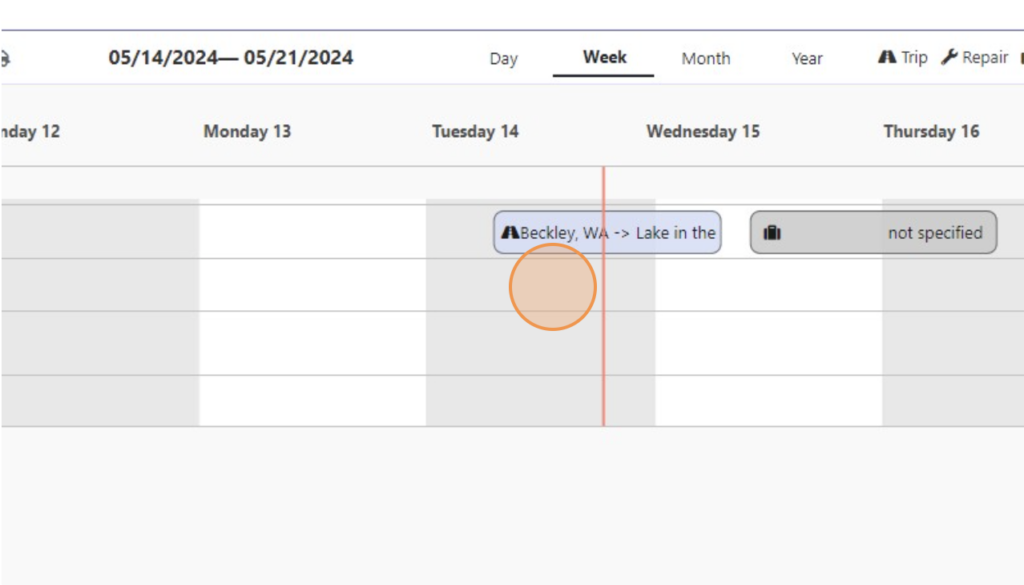
Right-click on the same line of Driver / Truck.
-
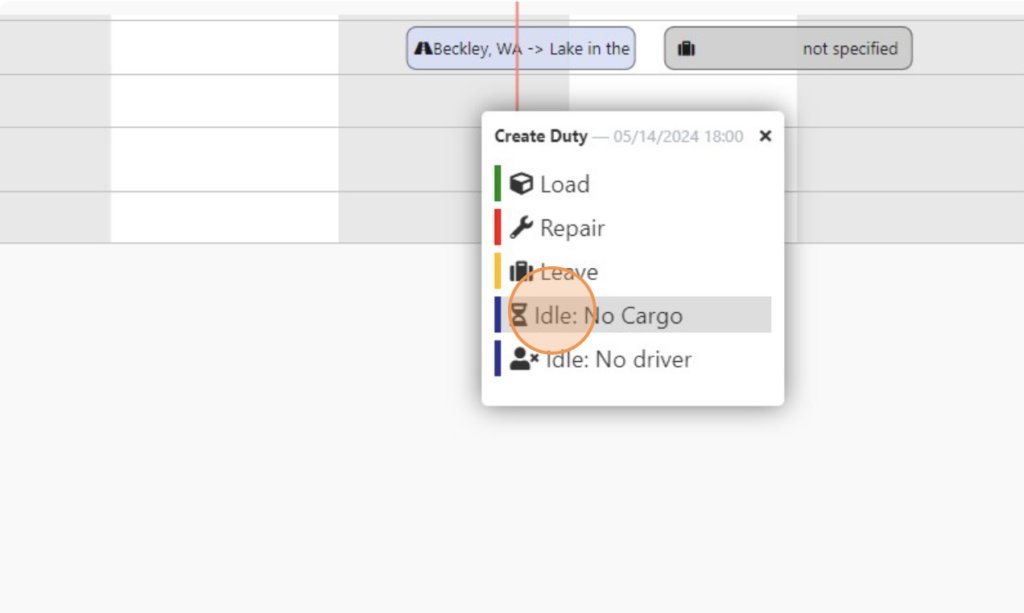
Choose Idle: No Cargo
-
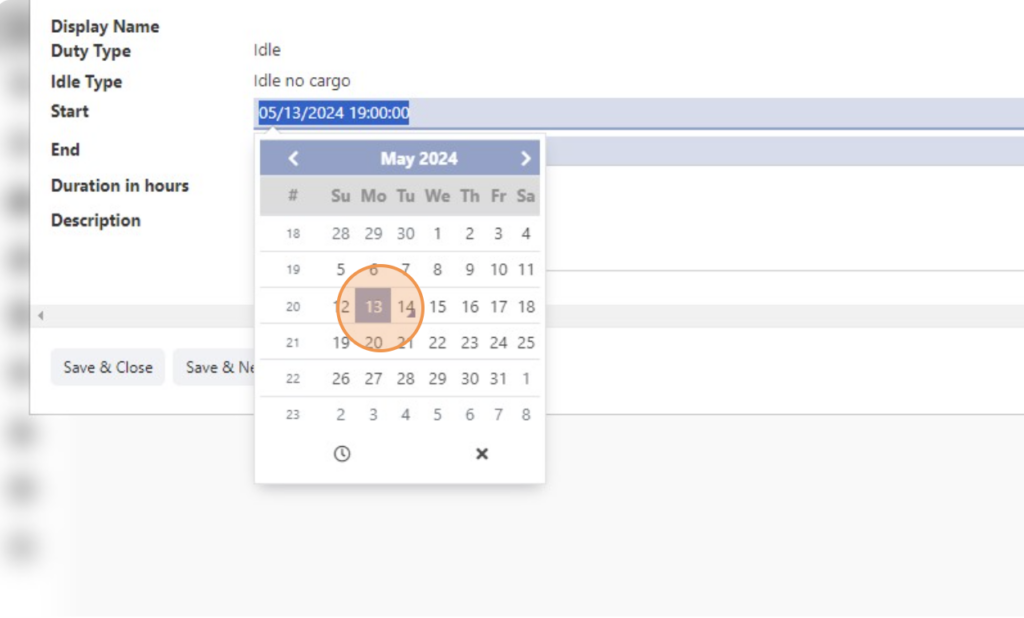
Select the Start Date and Time
-
Select the End Date and Time
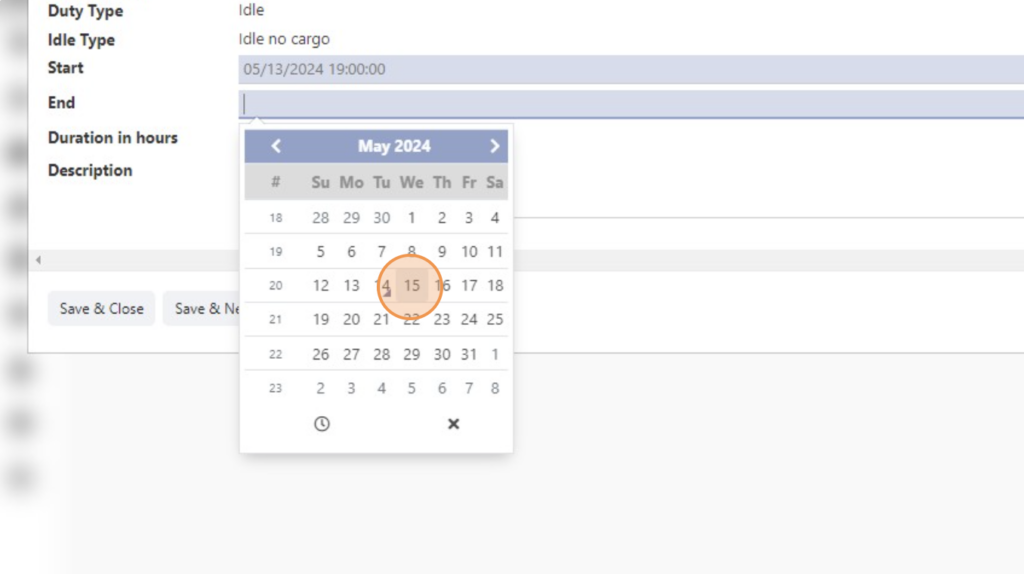
-
Add information into Description field
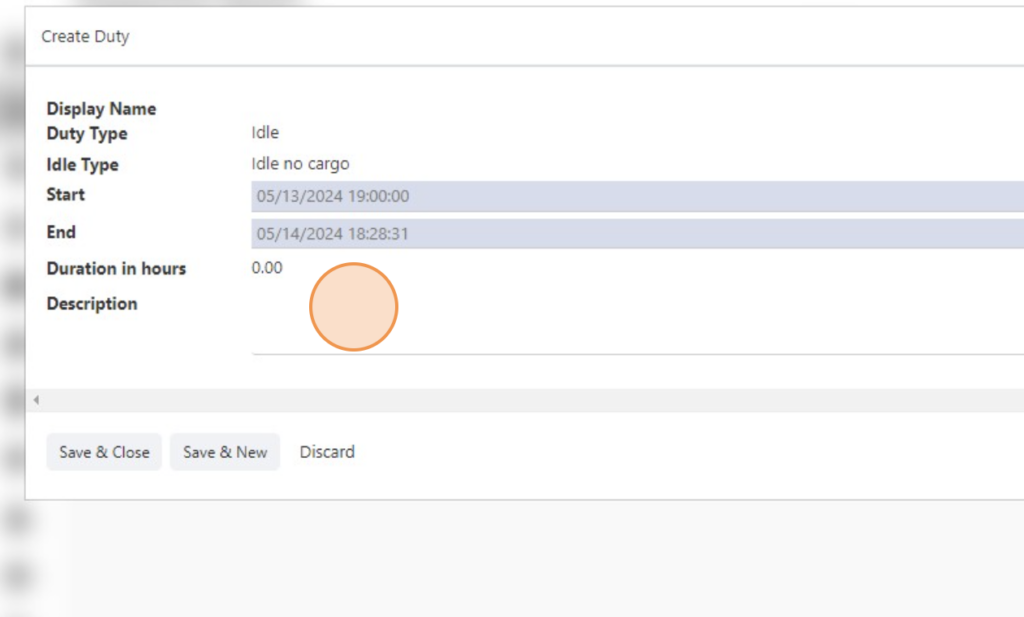
-
Select Location.
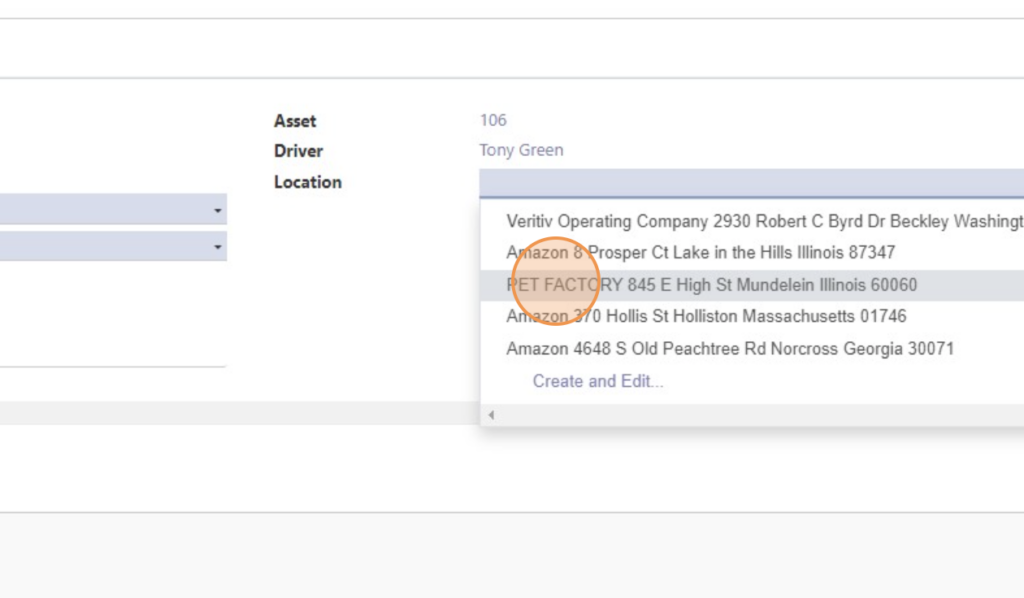
-
Click “Save & Close”
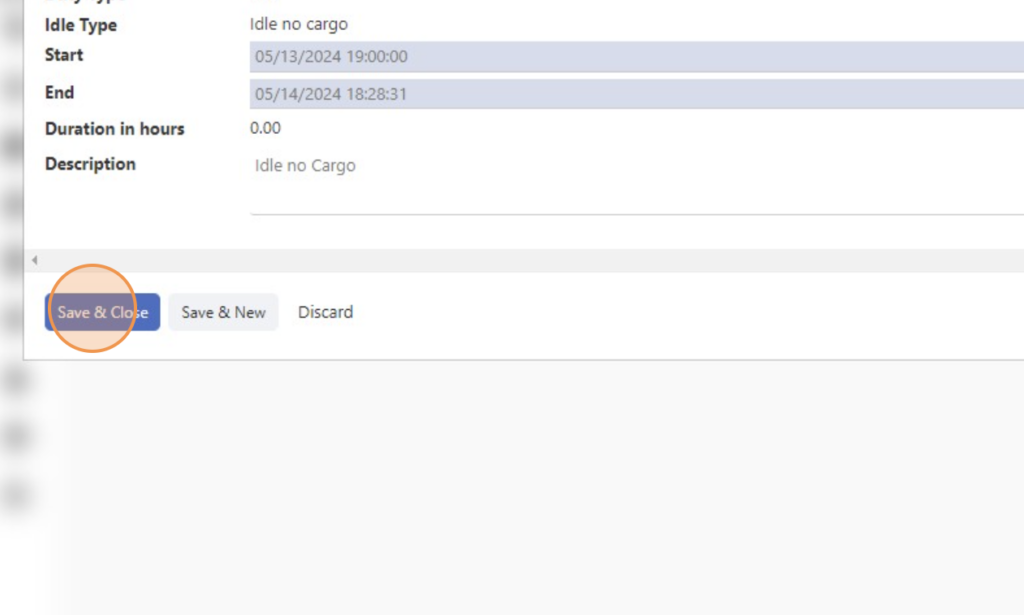

Create “Idle no cargo” Status in Dispatcher Board
< 1 min read


Powered by BetterDocs